MusicOne Windows · Rules & rule violations
Clock Rules: Separation vs Run
Stop slow songs back to back with the Run rule, or spread them out with the much stricter Separation rule, best kept for sound codes.
Updated
This video explains the difference between the Run and the Separation clock rules.
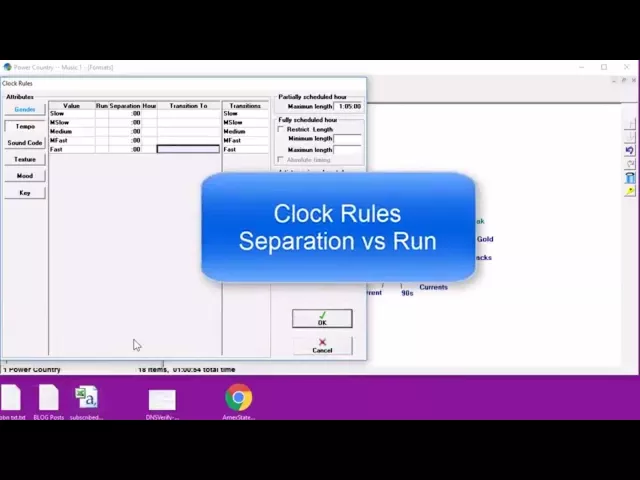
Watch the video on YouTube: Clocks - Clock Rule: Run vs Separation
Run rule or Separation rule
You use one of these two rules, not both. Music 1 Pro has the Separation rule; earlier versions, Music 1 SE and Music 1 Legacy Edition, have only the Run rule.
The Run rule
Put a 1 in the Slow box and that means only one in a row. Put another way: no slow songs back to back. With this rule you could still get a slow song, then a medium song, then another slow song. For most people, me included, that’s about all we’re concerned with.
The Separation rule
Some people want to spread the slow songs out a bit more, and for that they use the Separation box. With 5 minutes in the Slow separation box, there will almost always be at least two songs of other tempos before another slow song can schedule.
This is a much more restrictive rule. 5 minutes means at least 5 minutes before and 5 minutes after the slow song, plus the length of the slow song itself. So with a slow song of three and a half minutes, no other slow song can schedule within 13 and a half minutes: 5 minutes either side plus the length of the song.
Be careful when you set it. It pretty much guarantees you can’t have more than four slow songs in an hour, and more likely only three.
Separation on sound codes
I’m more likely to use separation on sound codes. Sound codes are special characteristics you apply to a minority of your library. I have a sound code called Drugs, to spread out any songs with drug references. With an 8-minute separation, I’ll get a couple, maybe three of those songs in an hour at most, with at least eight minutes of other content between them.
Go gently with the Separation rule. It can be quite restrictive, and if it’s set wrong it can cause you a lot of trouble during scheduling.