Library and rotation
Plan your rotation before it airs.
See how each category will rotate over the next two weeks, try a change before you make it, and keep your library in shape in a few clicks.
Free for 30 days. No credit card, nothing to cancel.
Categories and rotation
See your radio rotation two weeks ahead.
Open a category and the overview gives you a feel for it straight away: how big it is, how fast it turns over, and how it sounds in tempo and gender. Below it is the rotation prediction, a chart of how the category’s songs will rotate by hour over the next 14 days. It shows you the rotation MusicOne plans to schedule, so you can plan your rotations before a single day is scheduled.
Try it first. Add songs to the category virtually and see what they do to the rotation, before you change anything.

Category types
A category for every kind of show.
Library
Library maintenance made easy.
Say you want a “long song” sound code on every song over 4:30. Filter on length, select all 10 songs it shows, add the sound code in bulk, and that’s it. Tempo, gender or category work the same way: select the songs, change them all at once.

Inline edits. Change a song’s tempo, gender or sound codes right in its row, without opening anything.
Your columns, your filters. Choose the columns you want, sort and filter on them, and find any song by title, artist or cart ID.
Need even more custom bulk editing? Export to CSV, edit, import it again.
Sound codes. Tag songs your way, then filter and build rules on them.
Shuffle. Re-orders a category so songs next to each other differ, so there’s usually one that fits your rules.
Linked artists. Tie a singer to their band, or the two names on a duet, so separation treats them as one act.
Packets
Play the whole album, not too much of the artist.
Packets reduce the airtime certain songs get, without taking them off the air. Say a new Taylor Swift album drops. Every track at full rotation would be too much Taylor Swift for your format, but you still want to play them all. So you group a few of them into a packet. The packet rotates as one item, and each time it comes up, the next song in it plays.
Song card
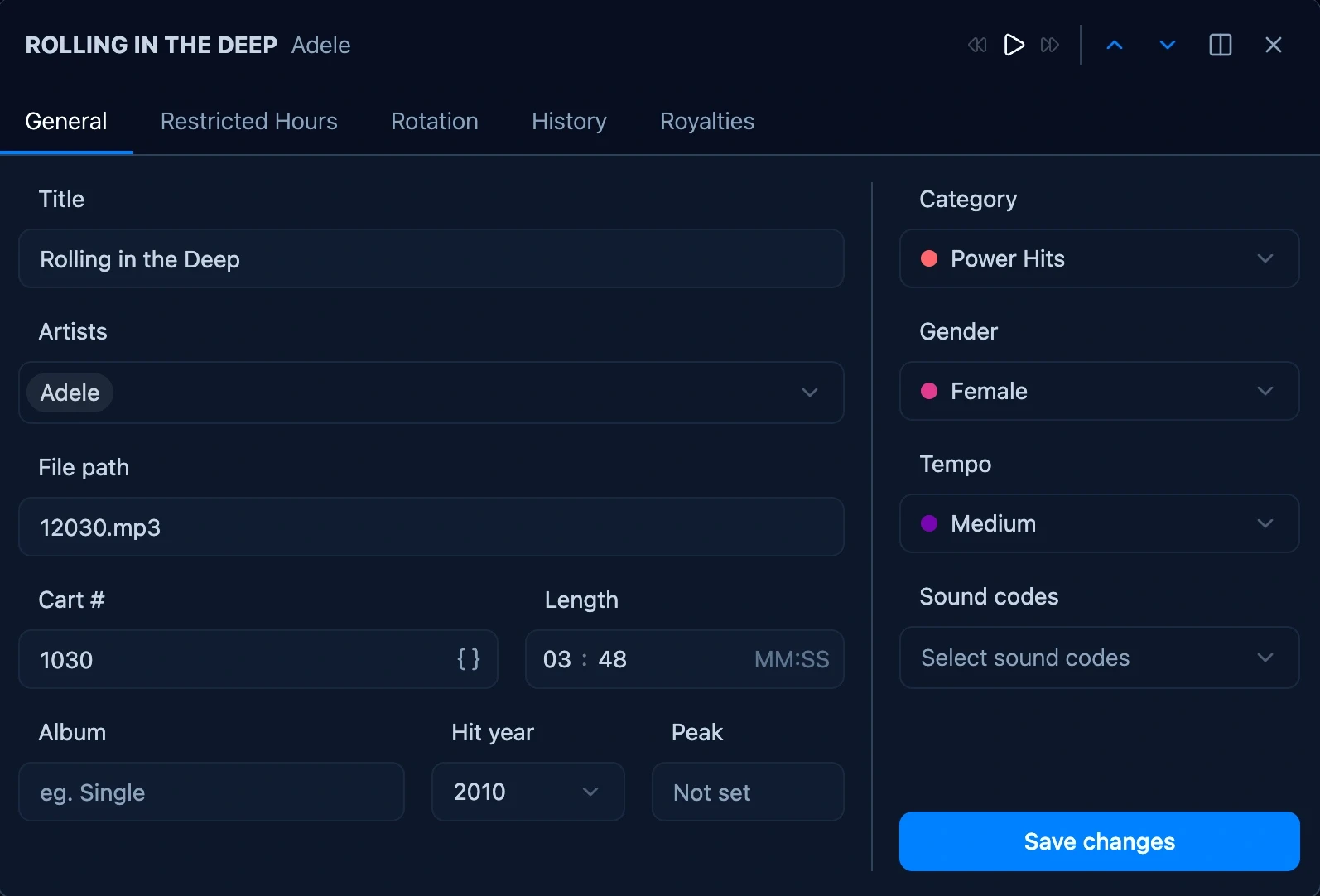
Everything about a song, in one place.
Double-click any song to open its song card, with all its details, and listen to it right there.
Restricted hours (dayparting). Choose the hours a song may not play, on a day-by-hour grid.
Rotation history. See when the song aired, by day and hour.
Play history. Total plays, the last play, and what happened to the song since it came in.
Cart number templates. Cart numbers that fill themselves in, so your voice tracks number themselves.
See how your own categories will rotate.
Import your library from your current scheduler, open a category, and look two weeks ahead.
Free for 30 days. No credit card, nothing to cancel.