MusicOne Windows · Categories & packets
Category Rules 101
Start from the recommended category rule settings, and see why a bigger search depth or repeat-play setting won’t improve your schedules.
Updated
In most all cases, the default settings are best. Increasing the search-depth and/or increasing the setting to ‘allow repeat play after x-%’ will not increase the efficiency or accuracy of your schedules. Those two are constructed in ways to enhance and maintain rotational accuracy and predictability of song rotations and placement. This 5 minute video walks you through the recommended settings for Category Rules
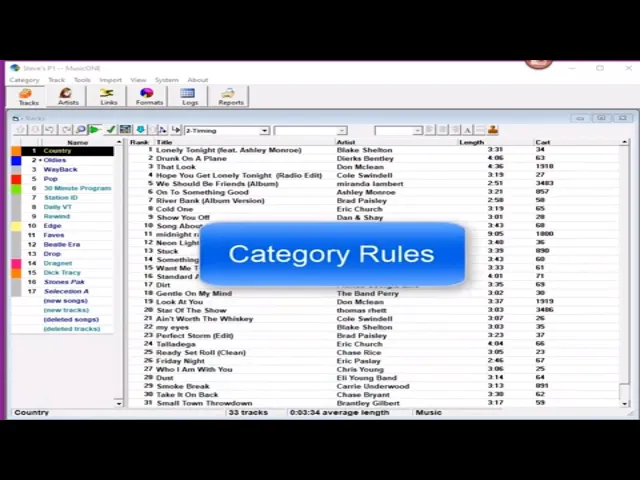
Watch the video on YouTube: Rules - Category Rule Refresher
Set your category rules
Category rules are specific to each category, but you want the settings to be pretty much the same for all of your categories. Here they are, one by one.
Rotate with multiple choices
You almost always want to rotate with multiple choices, and set the number of choices automatically. Music 1 then sets the search depth (the “dig level”) to 20% of the category. A category with 33 songs gets about 7; a Way Back category with 73 songs gets 15. Setting the dig level higher than 20% won’t help you.
Rotate in rank order
Don’t check this one, unless you want a category to always play in rank order: 1, 2, 3, 4, 5 down the list. Countdown shows are the kind of thing you might need it for.
Play the most rested track
You don’t need to check this. Talk to us at the Music 1 office if you think you can use it.
Do not flip play in restricted hours
This box is for categories with hour-restricted songs: songs that are blocked from being scheduled in certain hours or timeframes. In most cases you don’t want to check it. See The Flip/Don’t Flip Category Rule.
Title separation
Set it as you wish, because it’s almost superfluous. Music 1 won’t repeat any song until every other song in the category has been scheduled. Unless you’re an all-Christmas station, title separation generally isn’t that important.
Previous day separation
This one only matters for categories whose songs reschedule every day. Say a category called Today’s Top Hits has 10 songs, and it schedules them twice every morning. You don’t want a song in the 9 am hour on both Monday and Tuesday: if Monday’s play is at 9 am, Tuesday’s should be in the 8 am or the 10 am hour. This rule makes sure of that.
For categories where the next play of a song is two or more days later, the rule is unnecessary, so you can set it automatically.
Allow a song to repeat after 35% of tracks have scheduled
Leave this at 35%. Remember, Music 1 won’t reschedule any song until every song in the category has been scheduled.
The 35% rule is handy after a category shuffle. A shuffle clears the played flags, the internal counter, and the card stack changes completely. A song that’s supposed to repeat every five days could then come up the very next day. This rule stops that song from coming up again until a full third of the category has scheduled, so it would probably come up two days later instead. More in Allow Repeat Play After x-% of Tracks Have Played.
Schedule a song in X dayparts before rescheduling
Be careful before you engage this rule. If you set your category rotation plans efficiently, you won’t need it, because the problem it solves will hardly ever happen.
Do not allow a track to play too frequently in any hour
This one is for categories with a turnover of 15 days or more. The category turnover grid only shows a two-week spread, so this extra rule makes sure that, in a category with a three-week turnover for example, songs don’t keep coming up in the same hour. I don’t use it: it’s a bit of a stretch.
Do not allow a track to play in the same hour on consecutive days
This is a variation of the previous day separation rule. The previous day rule is more flexible, so I don’t use this one.
Do not enforce artist separation
This is for categories that are all one artist. Think of a classic rock station with a category of nothing but Rolling Stones songs for an all-Stones hour on Saturday night. You wouldn’t want artist separation in place for that category.
Alternative categories and statistics groupings
These aren’t rules. In almost all cases, leave these fields empty.