MusicOne Windows · Song cards & artists
Mass Change Artist Genders
Apply the artist Gender to all your song cards at once when your import file didn’t include it.
Updated
When importing new song data into M1 from a text file that doesn’t include the Gender of the artists, it can be mass applied to all the song cards. Here’s how:
Watch the video on YouTube: Artist Gender Mass Change
Set artist genders in bulk
When new library data is imported from an automation system, there’s usually no field for tempo or gender. The same goes for MP3 tags: MP3 metadata has no tempo or gender field. So new artists come in with zero separation time and no gender.
Set the gender for several artists
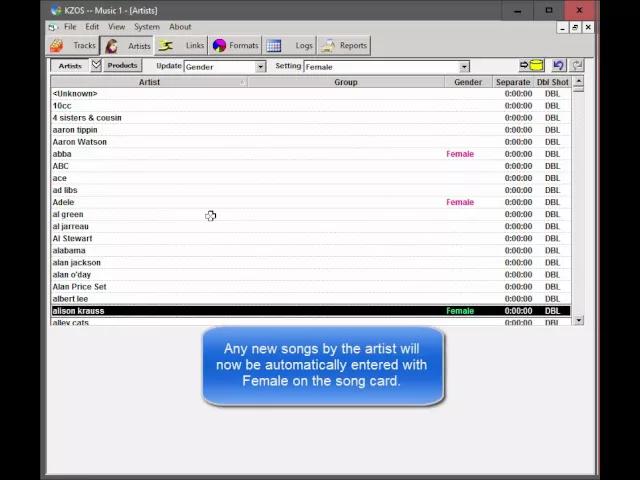
Select an artist, for example Adele.
Hold down the Ctrl key and click the other artists, for example Alison Krauss and ABBA (mostly female).
At the top of the screen where it says Update, open the list and choose Gender.
Change it to Female and click the button. The artists are now set to female.
Apply it to songs already in the library
From now on, any new song card for an Adele song gets Female automatically. But the songs by Adele, Alison Krauss and ABBA that are already in the system still have no gender.
Open the Edit menu and select Set Default Genders.
Click OK. Music 1 warns that the operation can’t be undone; confirm.
All songs by these artists are now set to female. More in Setting Default Genders.