MusicOne Windows · Automation software
Music 1 with SAM Broadcaster
Set up Music 1 with SAM Broadcaster: playlist and log folders, the PAL scripts and exporting your library data.
Updated
Playlist and Log Folders
When you save a new schedule, M1 makes two files; one for its own uses and another for your automation/playout system. That one we call the Playlist file. These two files can be saved into the same sub-folder (within the Music 1 folder), but it’s generally best to put the M1 log file in one folder and the Playlist file into its own folder.
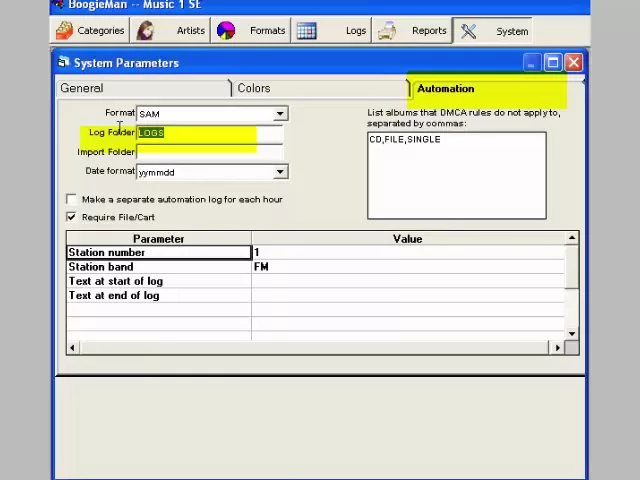
Watch the video on YouTube: Automation - SAM Broadcaster - Log and Playlist Folders
PAL Scripts
SAM Broadcaster requires a PAL script that tells it to find and launch the next day’s playlist each night at midnight. The needed scripts are included with a SAM Broadcaster installation. There are two of them; one for use when you have M1 produce one single full-day’s list, the other for when you have M1 produce 24 one-hour playlist files for each day. The second option allows SAM to then load and launch each new hour’s content precisely at the top of the hour. If you don’t find the scripts in your SAM system, we’ll send them to you on request. You’ll need to tell M1 where to put the daily playlist files and you’ll need to check your PAL script to ensure it is looking to the correct folder to find the playlists. Details are shown in this video.
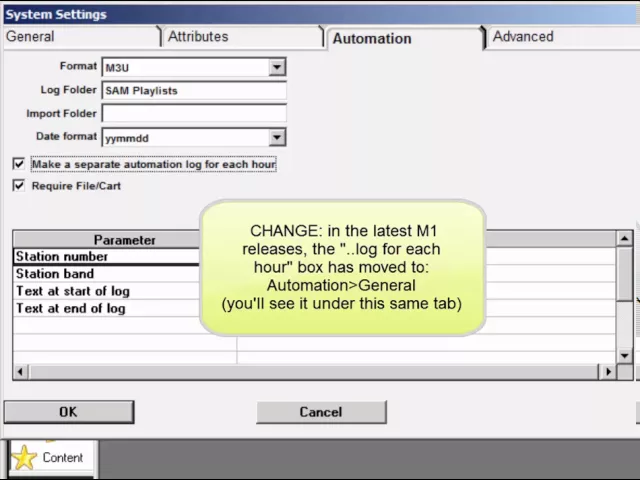
Watch the video on YouTube: Automation - SAM Broadcaster - PAL Scripts for Music 1
Exporting Library Data From SAM
Music 1 can import your library data directly from the mp3 tags and that is the more efficient way to get your library data imported. But if you have SAM installed on one computer and Music 1 on a different machine, you’ll need to export the library data from SAM to a .csv (comma separated text file) and then bring that file to the M1 computer for import.
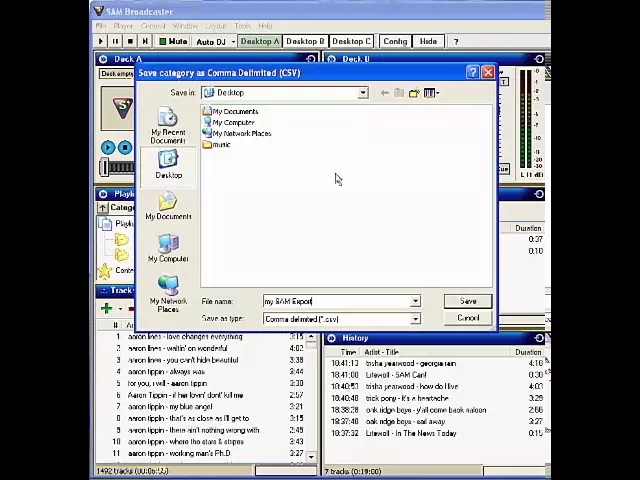
Watch the video on YouTube: Automation - SAM Broadcaster 4 - Exporting Library Meta-data