MusicOne Windows · Clocks & formatting
Voice Track – Auto Numbering
Line up remote announcers’ voice tracks without mistakes: one category, auto-numbered file names, and when to use rotators.
Updated
When your announcers are voice tracking from remote locations and when your automation system is not one that allows them to record the VT’s directly into player itself, here’s a way to get the task done without making mistakes. A lot of stations have to do it this way: First you email the playlists for their upcoming shifts. Second, they record their raps, intros and backsells and name/date the individual audio files in a certain way and then they ftp or email them back to you. You insert them the way it has to be done into the automation system. To be sure you don’t hear one of the announcers intro’ing Springsteen going into an Elton John song you have to number and line up the VT’s in the order they are to play. That can be a lot of busy-work and trouble.
Music 1 can do the job quite easily. It takes just a single category and that one goes onto all the format clocks. The 3 minute video below shows how it was done on one station. The name-date-number system can be customized to fit the way any automation system needs it done. Once you have it set up, it’s flawless. The right tracks always schedule in the hour slots where they are supposed to be.
Watch the video on YouTube: Voice Track - Auto Numbering
Daily voice tracks and rotators
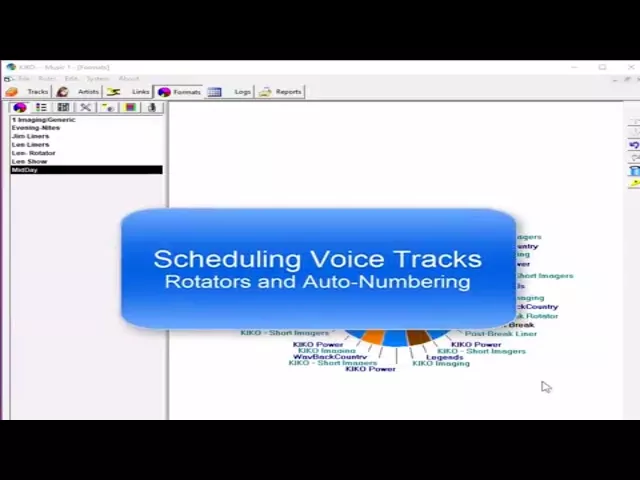
Rotators are often used for generic voice tracks that play over and over, like Station ID’s. Rotators can also be used for jingles, bumpers and drops. It’s best to have M1 schedule them individually as it does with music. You have a dozen station promo Liners, you have twelve cards in the M1 category. This is the best way because you have full control of the frequency and placement of them all. Like, if you want three of the twelve liners to schedule only in the morning hours, a few clicks in M1 gets it done.
Still, many stations find Rotators to be useful. A Rotator is like a folder, you drop any number of audio files into it. One Cart number on a non-music card in M1 tells the automation system to play something from that group. I don’t favor this way because one loses full control of which track will be played where. Also, rotators are functions of an automation/playout system. Some of them can’t do it.
Auto-numbered tracks are useful for Daily Voice tracks, those live-voicers that are recorded for one-time use; song intros, morning traffic announcements and such. Mostly this type of track is used for creating a live-sounding DJ shift using announcers often in far away places. Here’s how it works. You schedule ahead several days and send the playlist to the announcer. The playlist is marked for x-number of Voicers an hour. The announcer records a specific rap for each position and saves each audio file with a pre-set day/date/number system. The audio files are then sent to the station and imported into the automation system. As Music 1 schedules, it inserts voice tracks by name-number into the automation log file.
You can design a name-date-number system to suit your own needs. In the example in the video below, I’m having M1 use two characters for the day of the week, the announcer’s name and how the track will be numbered. The announcer Jim will save his daily voice tracks for Monday this way:
MO-Jim01.mp3
MO-Jim02.mp3
MO-Jim03.mp3
With that set-up, the voice tracks for each day are overwritten each week. The weakness here is that if Jim forgot to do one of the Tuesday voice tracks, the one from the previous Tuesday would be scheduled. M1 could just as easily auto-date the tracks using dating like this, YY-MM-DD, then it wouldn’t be possible to ever get a one-use voice track accidentally scheduled at a later date.
18-03-05joe01.mp3
18-03-05joe02.mp3
18-03-05joe03.mp3
Watch the video on YouTube: Auto-Numbering Voice Tracks and Rotators